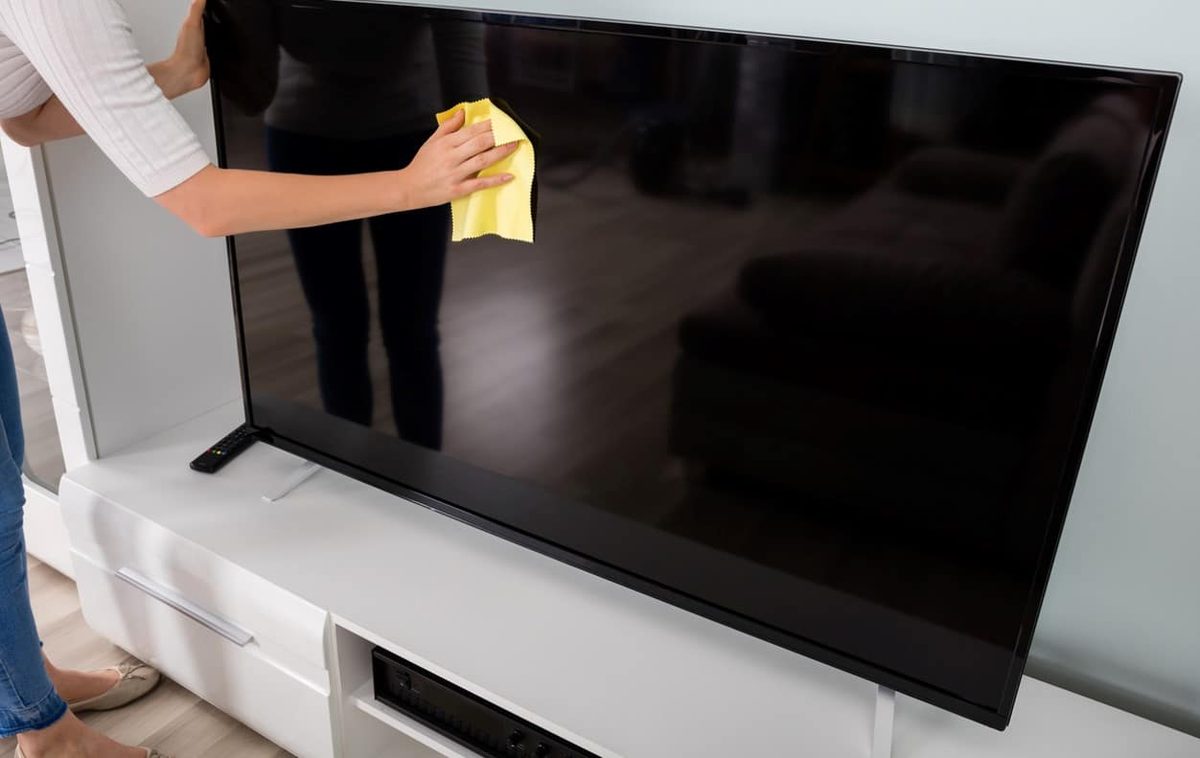
You love binge-watching. There is nothing quite like sinking into the couch with a whole season of your favorite show, ready to dive in. Then you see it. The screen is a fingerprint gallery. Your toddler has been busy. Before you start lecturing the little culprit, pause. You can fix this mess in minutes. But you have to be careful. One wrong move with the wrong cloth and you scratch the glass. Or worse, you ruin the coating.
Here is how to clean a TV screen safely. No risk of damage. Just clear vision.
Why Your Hands Are the Enemy
“Fingerprints are not just smudges. They are oils and dirt that bond to the screen over time.”
We touch everything. Our fingers leave behind natural oils. These oils attract dust. The dust sticks to the oil. Before you know it, the image looks hazy. You squint. You lean in. The contrast drops. It is annoying. It ruins the immersion.
But here is the trap. Most people grab paper towels. Or worse, the t-shirt they are wearing. This is a mistake. Paper towels are made of wood pulp. They are abrasive. On a microscopic level, they are like sandpaper. Wiping your OLED or LCD screen with them creates micro-scratches. You might not see them today. You will see them in six months.
Do not use household glass cleaners. They contain ammonia. Ammonia strips away the anti-reflective coatings on modern screens. It leaves permanent cloudy spots. Never spray liquid directly onto the TV. Gravity wins. The liquid runs down. It pools in the bezel. It seeps into the electronics. You fry the motherboard. Game over.
The Right Tools for the Job
You do not need expensive gadgets. You need the right basics.
- Microfiber cloth : This is non-negotiable. Look for a high-quality one. The fibers trap dust instead of pushing it around. Cotton rags are too rough.
- Distilled water : Tap water contains minerals. Minerals leave white streaks. Distilled water is pure. It evaporates cleanly.
- Optional: Isopropyl alcohol : Only if the smudges are stubborn. Use it sparingly. Mix it with water if needed.
The Step-by-Step Process
1. Power Down
Turn off the TV. Unplug it if you can. A black screen makes dust and smudges visible. You will see exactly what you are missing. It also prevents electrical accidents. Safety first.
2. Dry Dust First
Take your dry microfiber cloth. Gently sweep across the screen. Do not press hard. Just let the cloth glide. You are removing loose dust particles. If you skip this and go straight to wet wiping, you create mud. That mud scratches the surface as you wipe.
3. Prepare the Cloth
Dampen a corner of your microfiber cloth. Use distilled water. The cloth should be barely moist. Not dripping. If you squeeze it and water comes out, it is too wet. Wring it out thoroughly.
4. Wipe with Care
Start at the top. Use gentle, circular motions. Or straight lines. Just be consistent. Do not
Safety First: Power Down and Dust
Turn off the TV. Unplug it. This isn’t just bureaucratic advice; skipping this step risks short-circuiting your display or damaging the panel irreparably. Once the power is cut, grab an antistatic, lint-free cloth.
Dust the entire unit. Do not ignore the vents or the stand. A clean surface is the foundation of a safe clean.
What Not to Do
Before applying any liquid, memorize these prohibitions. They exist to save your screen.
- No paper towels. They scratch.
- No toilet paper. It leaves residue.
- No glass cleaner with ammonia or alcohol. It strips the anti-reflective coating.
- No abrasive sponges or bath towels. They are too rough.
- No circular motions. They create swirl marks.
- No direct spraying. Liquid will seep into the bezel and kill the electronics.
- No pressing. The panel is fragile.
Choosing the Right Flat Screen Cleaner
Manufacturers sell specific cleaners, often as sprays, tailored to their brand’s coatings. If your TV comes with a branded solution, use it. It is the safest bet for warranty compliance.
If you cannot find the official product, you have options.
Pre-Moistened Wipes
Supermarkets and hardware stores stock wipes labeled “safe for all screens.” Check the ingredients. There must be no alcohol. If it says “all screen types,” it is generally safe.
Wipe left to right. Gentle pressure. Multiple light passes beat one aggressive scrub every time.
Alcohol-Free Glass Cleaner
Standard window cleaners often contain ammonia or soap. These are bad for modern coatings. However, an alcohol-free glass cleaner is acceptable if it lacks ammonia.
Never spray directly onto the TV. Mist a soft microfiber cloth instead. Wipe the panel gently.
White Vinegar Solution
White vinegar cuts grease effectively but must be diluted.
Mix 10 cl of white vinegar into 1 liter of water.
Dampen a clean cloth with this mixture. Wipe the screen without pressing. This is a cheap, effective DIY alternative for stubborn grease.
Isopropyl Alcohol for Older Sets
Isopropyl alcohol (rubbing alcohol) is non-abrasive. Medical staff call it “alcohol for friction.” It works well on older TVs that lack anti-reflective or antistatic coatings.
Do not use it on modern screens. The chemicals can degrade new protective layers.
For older sets, mix one part isopropyl alcohol with two parts demineralized water in a spray bottle. Spray the cloth, not the screen.
Daily Maintenance Habits
You do not need to deep clean your TV daily. Frequent washing wears down the coating. Dusting is usually enough.
Use an antistatic feather duster or a microfiber cloth to remove loose dust. Wipe the frame with a soft damp cloth. Clear dust from the ventilation grilles to prevent overheating.
Regular maintenance prevents heavy buildup. You will use fewer harsh chemicals. This extends the life of the hardware.
The rules are simple. Power down. Use the right cloth. Avoid harsh chemicals. Respect the coating.
Which solution fits your setup? The manufacturer’s kit or a DIY mix? Either works if applied with restraint. The screen stays clearer longer.